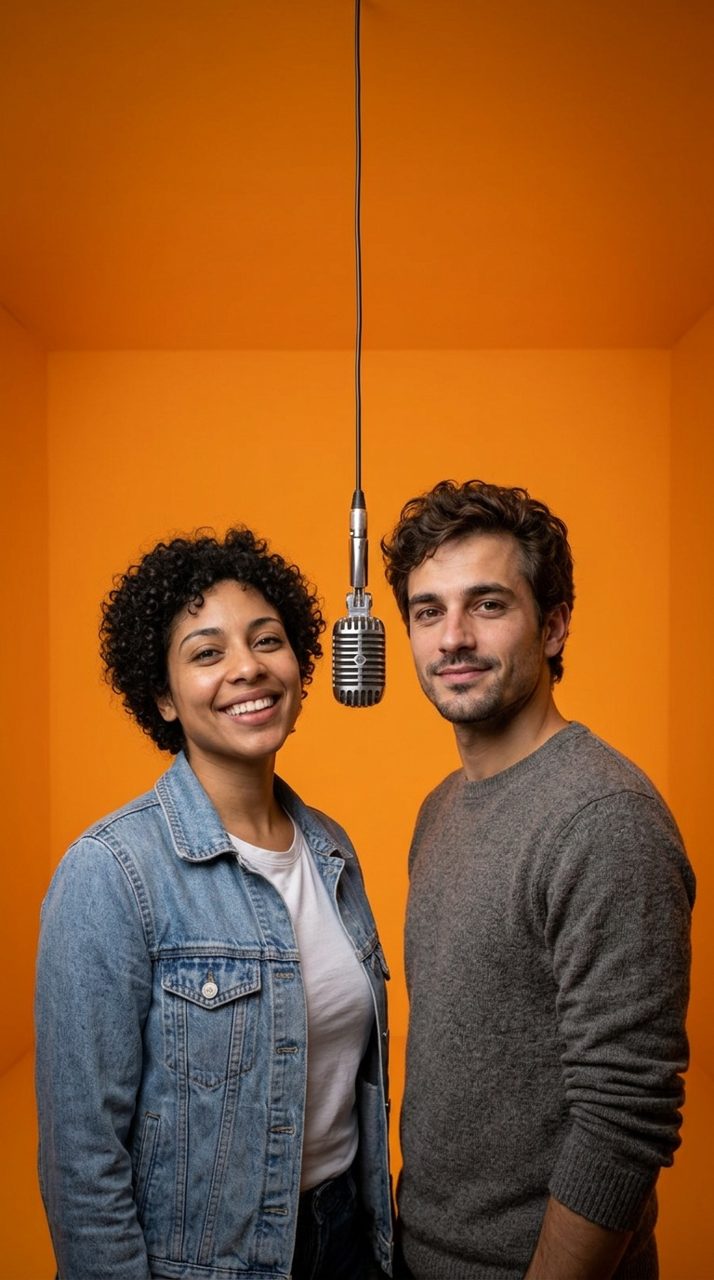
Who you can put in it
You, a friend, a partner or your pet. Everyone in the photos has to be 18 or older and OK with being in the video, so ask your friend before you use their photo.
We don't accept photos of children, celebrities or other public figures. Every photo is checked before we make the video.
What you get
- Length
- 12 seconds
- Format
- 9:16 vertical MP4
- Video model
- Kling 3.0 Standard
- Sound
- None. Add the trend's sound in TikTok.
- Cost
- 10 credits
- Kept for
- 30 days, then deleted
- Your photos
- Deleted within 24 hours
About the Hotel Lobby trend
The trend comes from Quavo and Takeoff’s performance of “HOTEL LOBBY (Unc & Phew)” on A COLORS SHOW, posted on YouTube on June 17, 2022. The two stand in front of the show’s bright orange backdrop and trade verses at one microphone that hangs between them. The name comes from the song. There’s no hotel in the clip.
In September 2026, AI versions spread on TikTok and X, with friends, couples and pets in the duo’s place. A version with two cats, posted on TikTok on September 23, has more than 6 million views. In our version, the two people or pets from your photos stand at a hanging mic in an orange studio. Their moves are new, so they won’t follow the original performance or the lyrics. We aren’t affiliated with the artists or with COLORS.
StarTurn makes a new scene from your photos. It doesn't use the original video or its song.
Sources: YouTube, Know Your Meme, Complex, TikTok (@therealmeowfia), TikTok (@colorsxstudios).
Hotel Lobby AI questions
Does it include the song?
No. The video has no sound. When you post on TikTok, tap Add sound and pick the HOTEL LOBBY (Unc & Phew) sound to join the trend.
Does it use the original video?
No. We don't use the original clip or its footage. The scene and the movement are made new by AI from your photos.
Which AI model makes the video?
Kling 3.0 Standard, a video model by Kling AI. First, Nano Banana 2 by Google puts your photos into the scene as a still image, and Kling 3.0 Standard turns that image into the video. We use both models through fal.ai and aren't affiliated with Kling AI or Google.
Can I use my pet?
Yes. Put your pet's photo in either slot, one pet per photo, with its face clearly visible.
How long does it take?
About 5 minutes. You can close the page; the video waits for you in My videos.
How much does it cost?
10 credits per video. Credit packs start at $5. If a video fails, the 10 credits go back to your balance on their own.
What happens to my photos?
We use them only to make your video and delete them within 24 hours. The video stays in My videos for 30 days so you can download it, then it's deleted.
Can I post it on TikTok?
Yes, from your own account. TikTok asks creators to label realistic AI videos, so turn on its AI-generated content label when you post.
Can I use a photo of a celebrity?
No. Photos of celebrities, other public figures and children aren't allowed. Use photos of yourself and people who agreed to be in the video.
Do we both need to be in one photo?
No. Add a separate photo to each slot, with one person or pet in each, and we put the two of you together in the scene. A photo with two people in it won't pass the photo check.
Will their mouths match the song?
No. The video is made without sound, so the lips and moves don't follow the lyrics when you add the song in TikTok.